Your n8n workflows, always in your pocket
Connect your self-hosted or cloud n8n instance and get a real-time dashboard with execution charts, workflow controls, push notifications for failures, and workflow editing — right from your phone.
Dark & light mode, animated charts, and smooth interactions. Available for iOS now, Android coming soon.
Everything you need to manage n8n on the go
Real-time monitoring, workflow control, and push notifications from your phone.
Real-time Dashboard
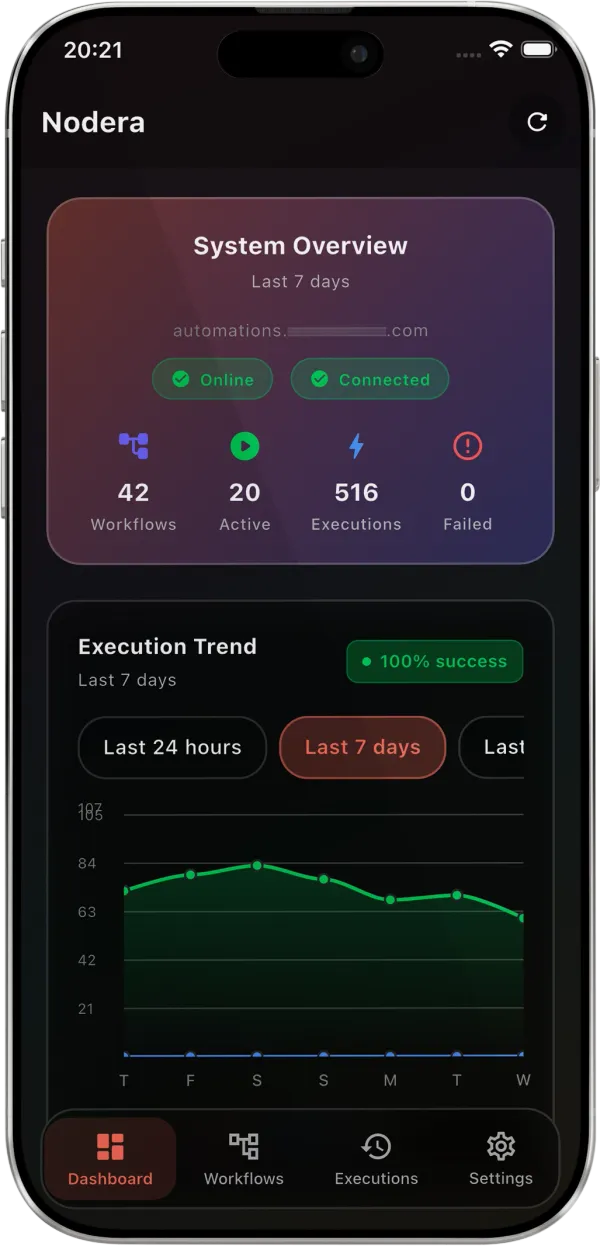
Active workflows, total executions, success rates, and a ranked list of your most active workflows. Quick stats with active rate, running, and inactive counts.
Execution Trend Charts
Line charts showing execution history — hourly for the last 24h, daily for 7 or 14 days. Success/failed/running breakdowns with a color-coded legend.
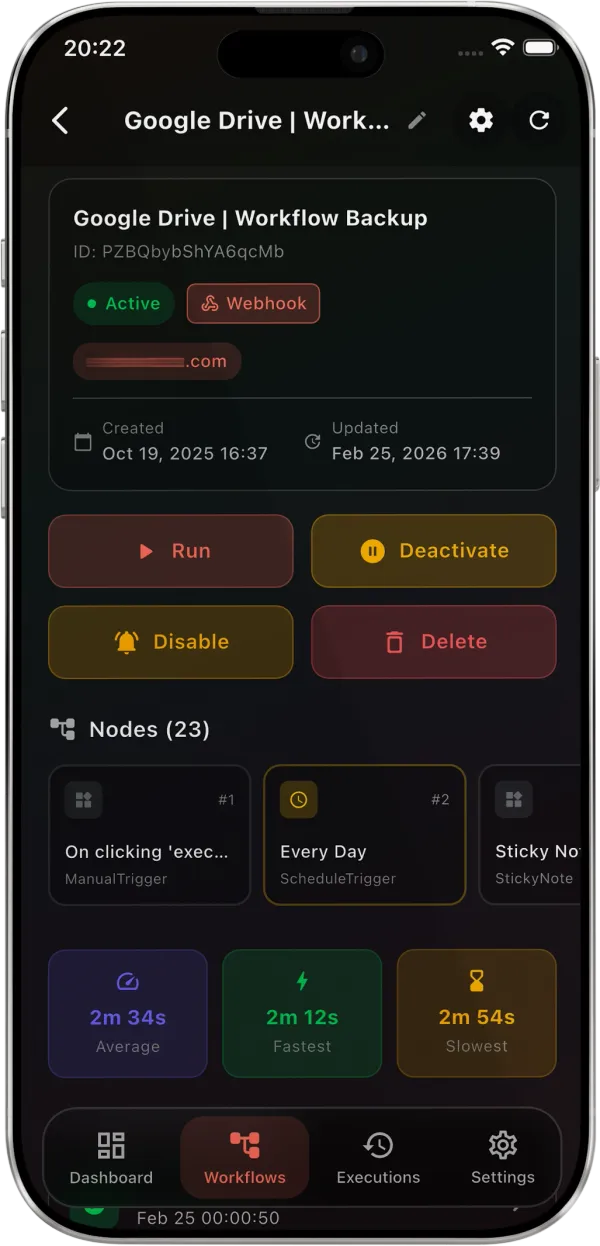
Full Workflow Control
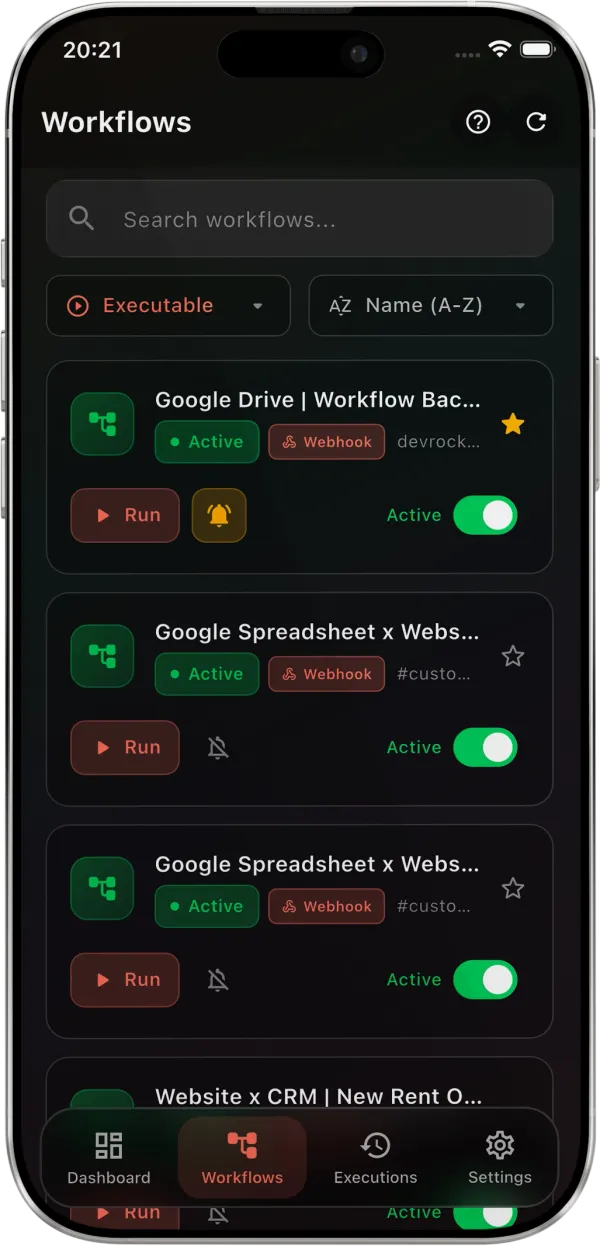
Activate, deactivate, or trigger workflows with a tap. Rename, delete, and copy webhook URLs. Search, filter, and sort by name, status, or date.
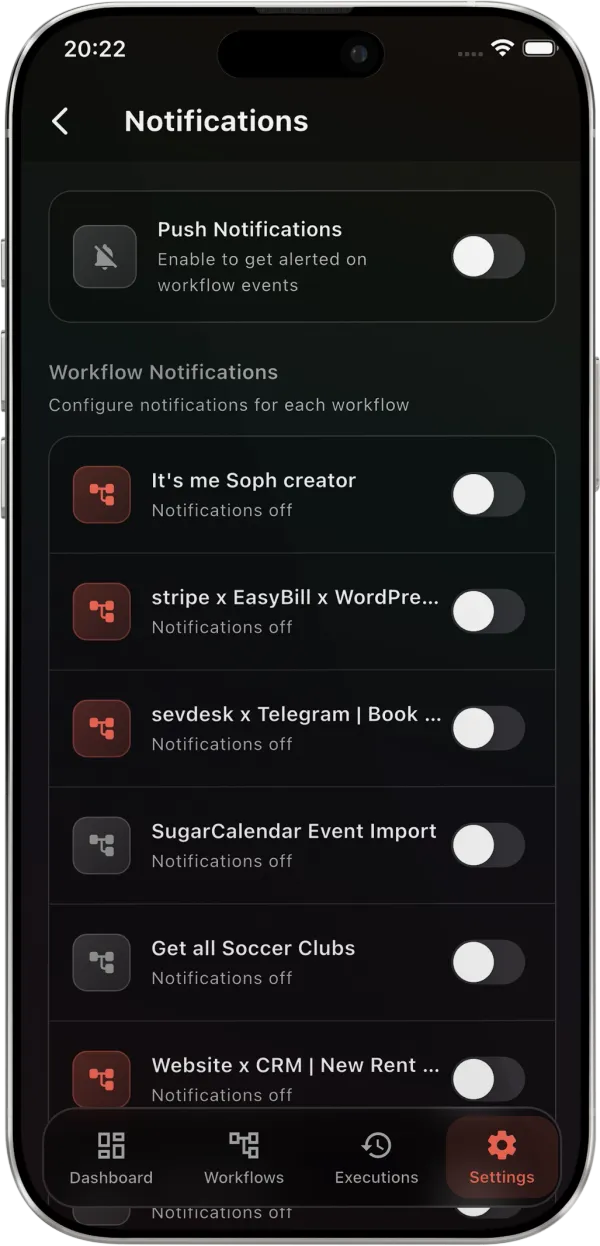
Push Notifications
Get alerts when a workflow fails. Configure notifications per-workflow — errors only or all executions.
Execution History
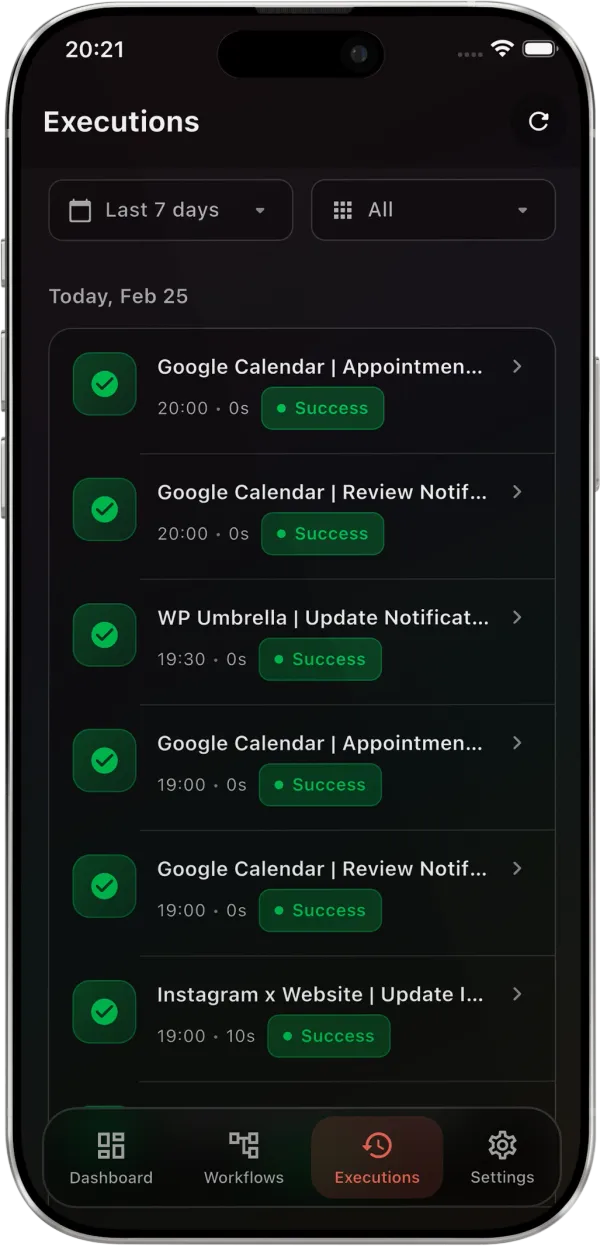
All executions grouped by date. Filter by status and time range. Tap any execution for details — duration, timestamps, input/output data, and error messages.
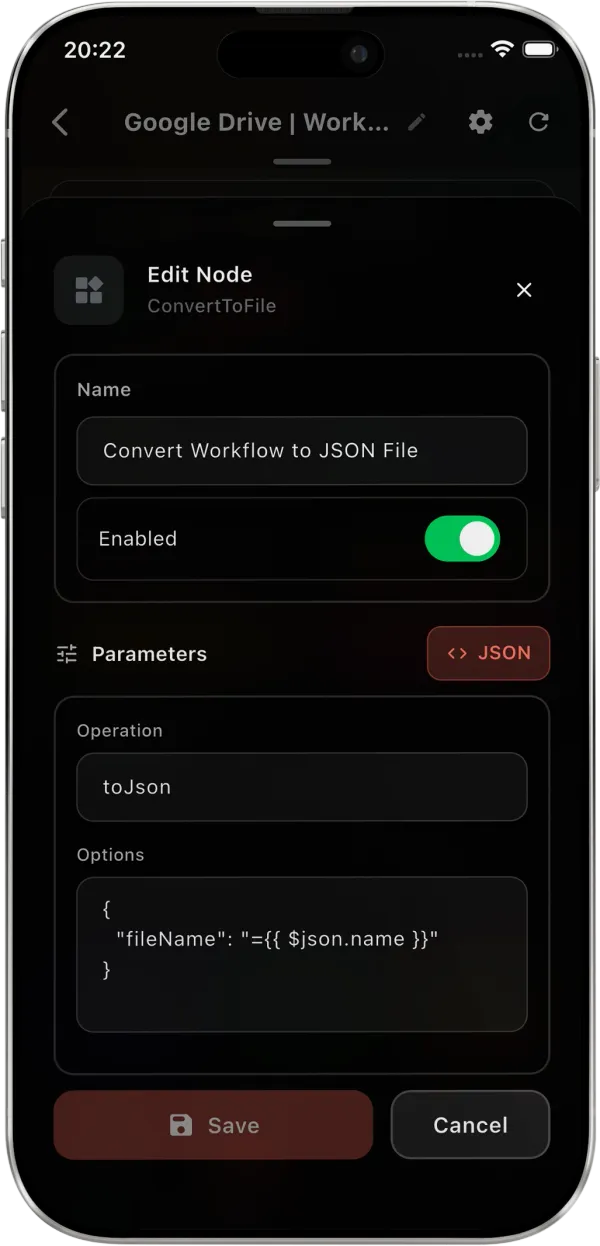
Workflow & Node Editing
View all nodes in execution order. Edit node parameters, toggle nodes on/off, and modify workflow settings.
Favorites & Smart Filters
Star important workflows for quick access. Filter by favorites, active, inactive, or executable. Sort by name, status, or creation date.
Execution Duration Analytics
Average, fastest, and slowest execution times per workflow. Spot performance trends and bottlenecks.
Encrypted Credential Storage
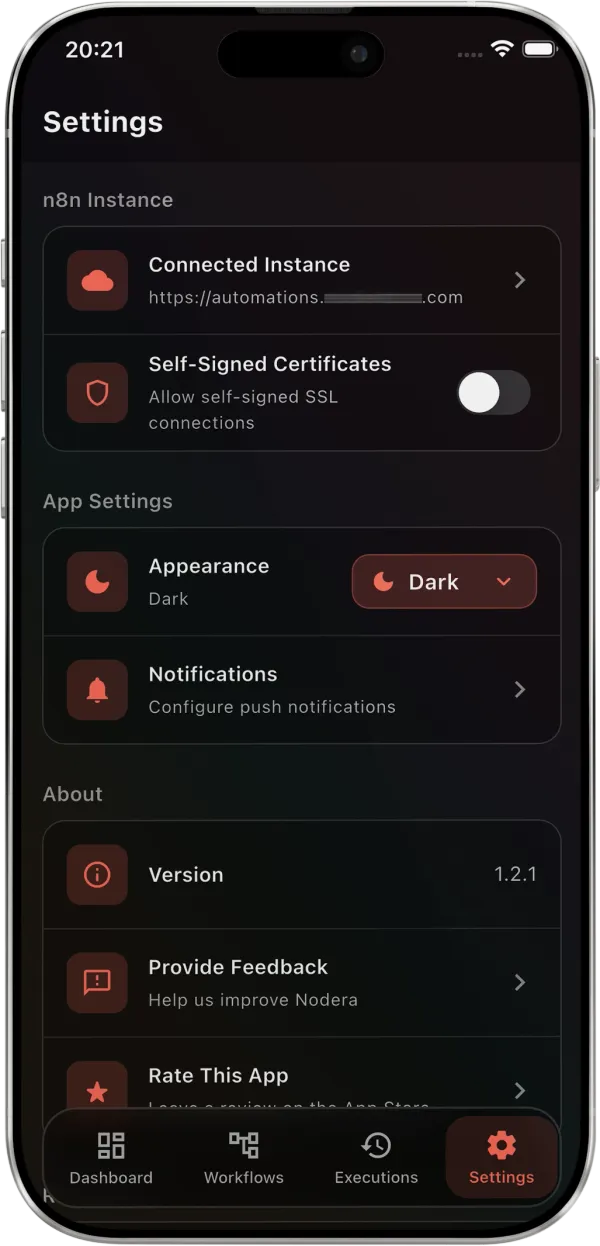
API keys stored with iOS Keychain and Android Keystore encryption. Self-signed certificate support included.
Multilanguage Support
Available in English, Spanish, French, and German. More languages coming soon.
Retry Failed Executions
Retry any failed execution with one tap. View error details — node name, error message, and execution data — then retry from the detail screen.
Shake to Refresh & Pull-down
Shake your phone or pull down to refresh. Shimmer loading states, empty states, and haptic feedback throughout.
Up and running in under a minute
Three steps to manage your n8n automations from anywhere.
Connect your n8n instance
Enter your n8n URL and API key. Supports both cloud and self-hosted instances, including self-signed certificates.
Explore your dashboard
Workflows, executions, and stats load right away. Success rates, execution trends, most active workflows, and recent activity on one screen.
Take full control
Toggle workflows, trigger them manually, edit nodes, set up failure notifications, and retry broken executions.
Everything you need, right from your phone
Monitor, manage, and edit your n8n workflows on the go.
Real-time Dashboard
Active workflows, executions, success rate, and trends on one screen. Filter by last 24h, 7 days, or 14 days.
Execution Details
Status, duration, timestamps, and input/output data per node.
Push Notifications
Per-workflow notification toggles with trigger options: errors only or all executions.
Node Editing
Tap any node to view and edit its parameters, credentials, and settings directly on your phone.
Execute Workflows
Trigger any workflow manually with a single tap. See results in real time as each node completes.
Workflow Control
Activate, deactivate, or delete workflows with swipe actions. Favorite workflows for quick access and organize your workspace effortlessly.
Node Control
Disable or enable individual nodes without deleting them. Perfect for debugging or temporarily skipping steps in your workflow.
Retry Executions
Failed execution? Retry with saved or updated data in one tap — no laptop needed.
Duration Analytics
Track how long each workflow and node takes. Spot bottlenecks and slowdowns over time.
Encrypted Storage
Your instance credentials are stored in encrypted secure storage. Nothing leaves your device.
What n8n users are saying
"The failure notifications saved me at 2 AM when a critical order processing workflow went down. Retried it from bed in 30 seconds. Absolute lifesaver."
"Best-designed app I've used in years. The glassmorphism UI is gorgeous and it runs buttery smooth. I actually enjoy checking my workflows now."
"The execution charts and duration analytics help me spot performance issues before they become real problems. Such a well thought out app."
"Finally I can check on my self-hosted n8n without opening a laptop. The dashboard gives me everything I need in one glance. And it's completely free!"
"Push notifications per workflow are a game changer. I set it up in 2 minutes and now I get alerts only for the workflows that matter. Brilliant."
"I manage 50+ workflows and this app makes it effortless. The search, favorites, and filters save me so much time. Can't believe it's free."
"The node editing from mobile is incredible. I fixed a broken HTTP node from the train during my commute. This app is a must-have for n8n users."
"Dark mode, smooth animations, encrypted storage — this feels like a premium app. The fact that it's free with no ads is honestly unbelievable."
"Shake to refresh is such a fun detail. The whole app feels polished and thoughtful. My team is hooked — we all installed it the same day."
Ready to take n8n on the go?
Download Nodera and stay on top of your workflows.
Got questions? Let's talk.
Feedback, feature requests, or support — reach out anytime.